Case study
PatDat
The problem:
During my internship in the healthcare sector, I noticed two recurring issues.
First, if a colleague was sick or unavailable, other staff had to search through paper files just to find basic information about a patient — which took valuable time.
Second, even in everyday situations, patient data wasn't quickly accessible. Staff had to dig through folders and paperwork instead of having the information ready at hand.
Research:
Since this was a practice project, I didn't want to take up healthcare staff's already limited time with interviews. Instead, I used AI to simulate conversations with healthcare workers, which gave me a useful starting point for understanding user needs.
In a real-world project, I would replace this with actual interviews — but for a first solo project, this approach let me move forward without disrupting people's work.
Key user needs I identified:
Digitalization of patient records
Ease of use for staff under time pressure
Fast, reliable operation
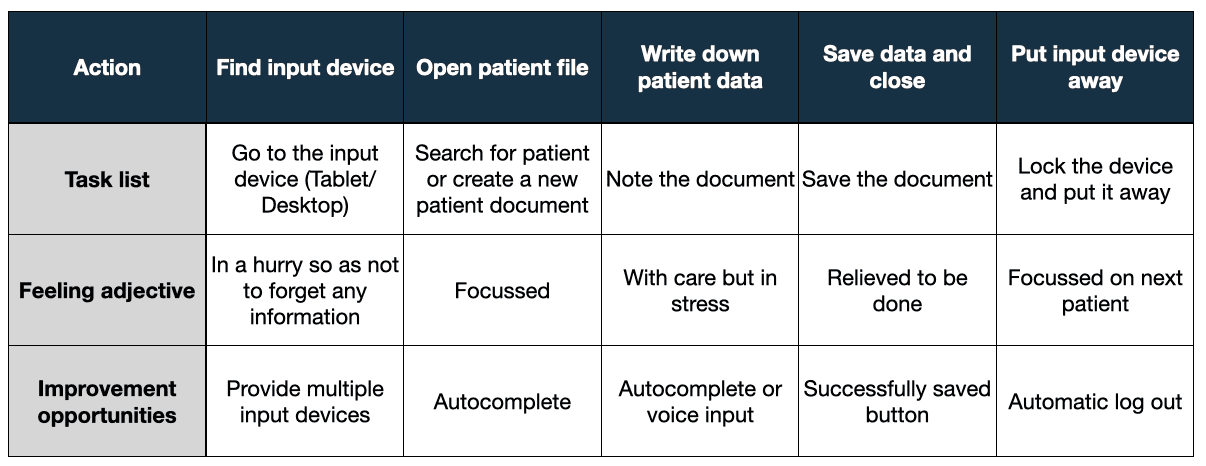
User journey map:
Design process:
I'll now walk through the design process for both the app and the responsive website — tablet and desktop — side by side.
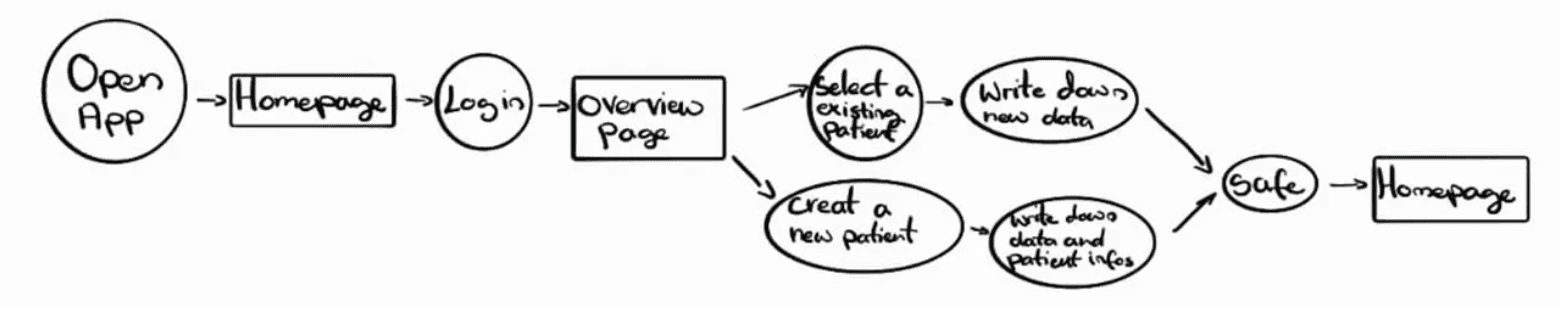
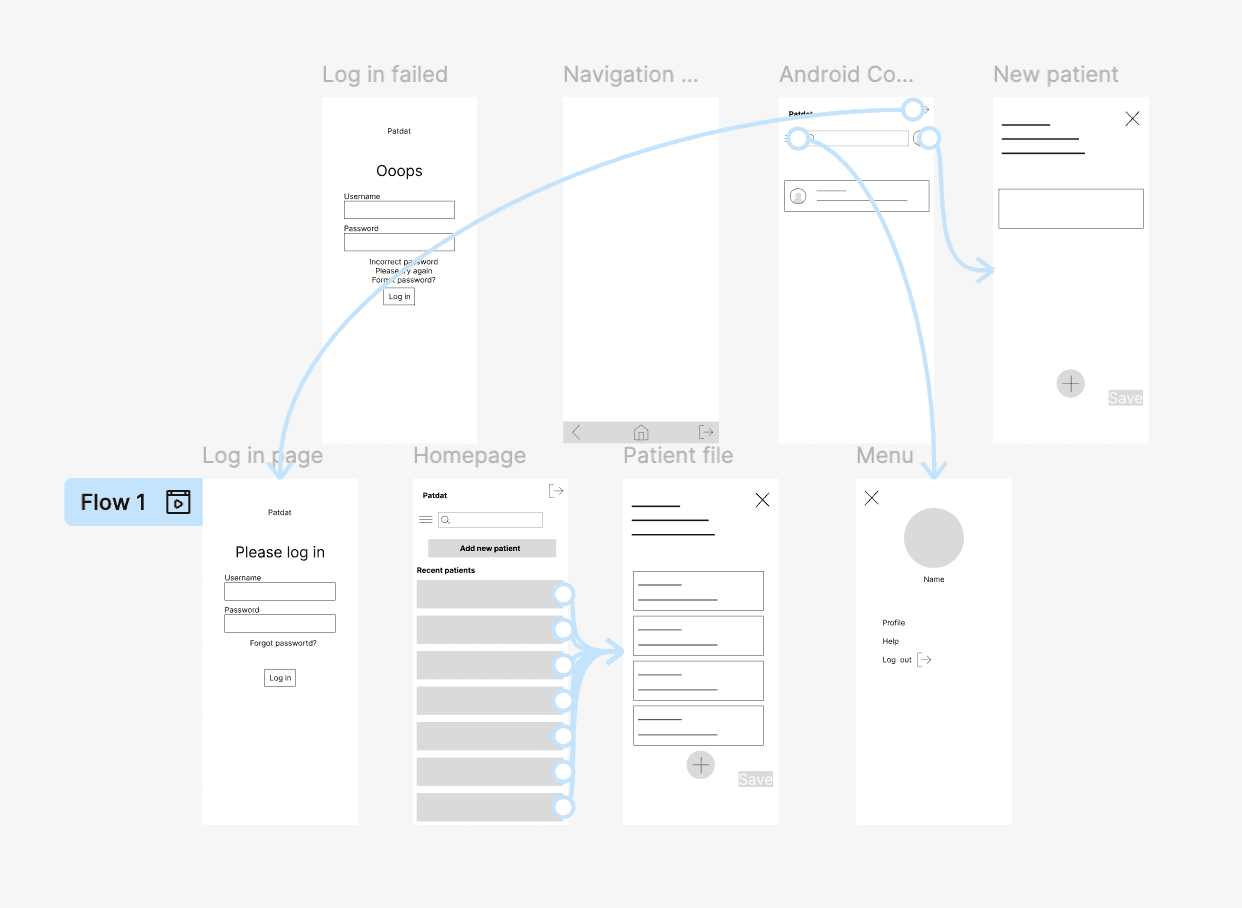
For the app, I mapped out a user flow — since it follows a clear, linear sequence of steps. For the responsive website, I used a sitemap instead, which better reflects how users navigate between different pages and sections.
User flow:

Usability study:
For the usability study, I gave 3 friends a simple task: log in, create a new patient, enter some data, save it, and log out. I also tested the flow myself.
The session revealed two clear pain points: participants didn't know where to tap to add a new note, and they struggled to find their way back to the homepage.
Design improvements after usability study:
On mobile, the action to add a new patient was just a small icon — easy to miss. I replaced it with a larger, clearly labeled button. I also added a clearer way to navigate back to the homepage, addressing the confusion participants had during testing.


On desktop and tablet, I noticed users had trouble quickly identifying the current day in the calendar. I highlighted it in color to make it instantly recognizable.


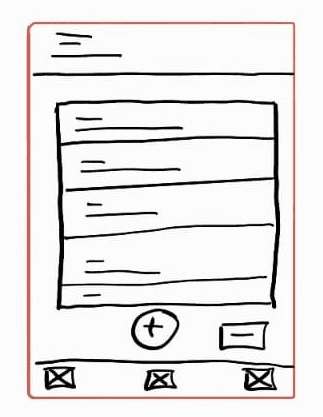
From rough sketches to polished screens — here's how the design evolved at each stage.



View prototype: